
The Evolution and Future of AI in Engineering: What Engineers Need to Know
December 1, 2025 · Ryan Navarro
Just a few years ago, LLMs hit the market, introducing many engineers to the capabilities of large language models for the first time. At D2M 2025, Mechanical Engineer Ryan Navarro, an AI enthusiast with a background in Finite Element Analysis (FEA) and Computational Fluid Dynamics (CFD), discusses the evolution of generative AI and its current applications in engineering, and future trends. His presentation is structured around a historical recap, practical tips for engineers, and predictions for AI’s future in the engineering field.
Navarro tested early GPT-3 models with a question about SOLIDWORKS Flow Simulation’s turbulence model. The results were not impressive. These models often “hallucinated,” providing confident, but incorrect, answers. A lot has changed since then. Less hallucinations, more practical applications. Navarro still advises proceeding with caution, especially when dealing with highly technical, high-stakes work.
“We’ve seen a drastic improvement in accuracy,” Ryan noted while comparing early AI responses to today’s more reliable outputs. “The old models were prone to hallucinations, but today’s models can correctly answer specific engineering questions with much greater precision.”
The evolution has been swift, with 2024 bringing two major advances: multimodal models that can process images and video alongside text, and reasoning models that think more carefully before answering. These improvements open up entirely new possibilities for how engineers can incorporate AI into their workflows.
7 Practical AI Applications Engineers Can Use Today
Navarro shared actionable ways engineers can use AI tools like ChatGPT, Gemini, and Claude today.
1. Software Assistance Through Screenshots
If you get stuck on how to perform a specific function in software like SOLIDWORKS or Adobe Premiere, simply take a screenshot, paste it into an AI tool, and ask your question. The AI can identify the software, recognize the interface elements, and provide specific instructions without requiring you to know the exact terminology. Navarro demonstrated pasting a SOLIDWORKS screenshot to ask how to measure between two plates, and the AI correctly identified the software and provided accurate, step-by-step instructions.
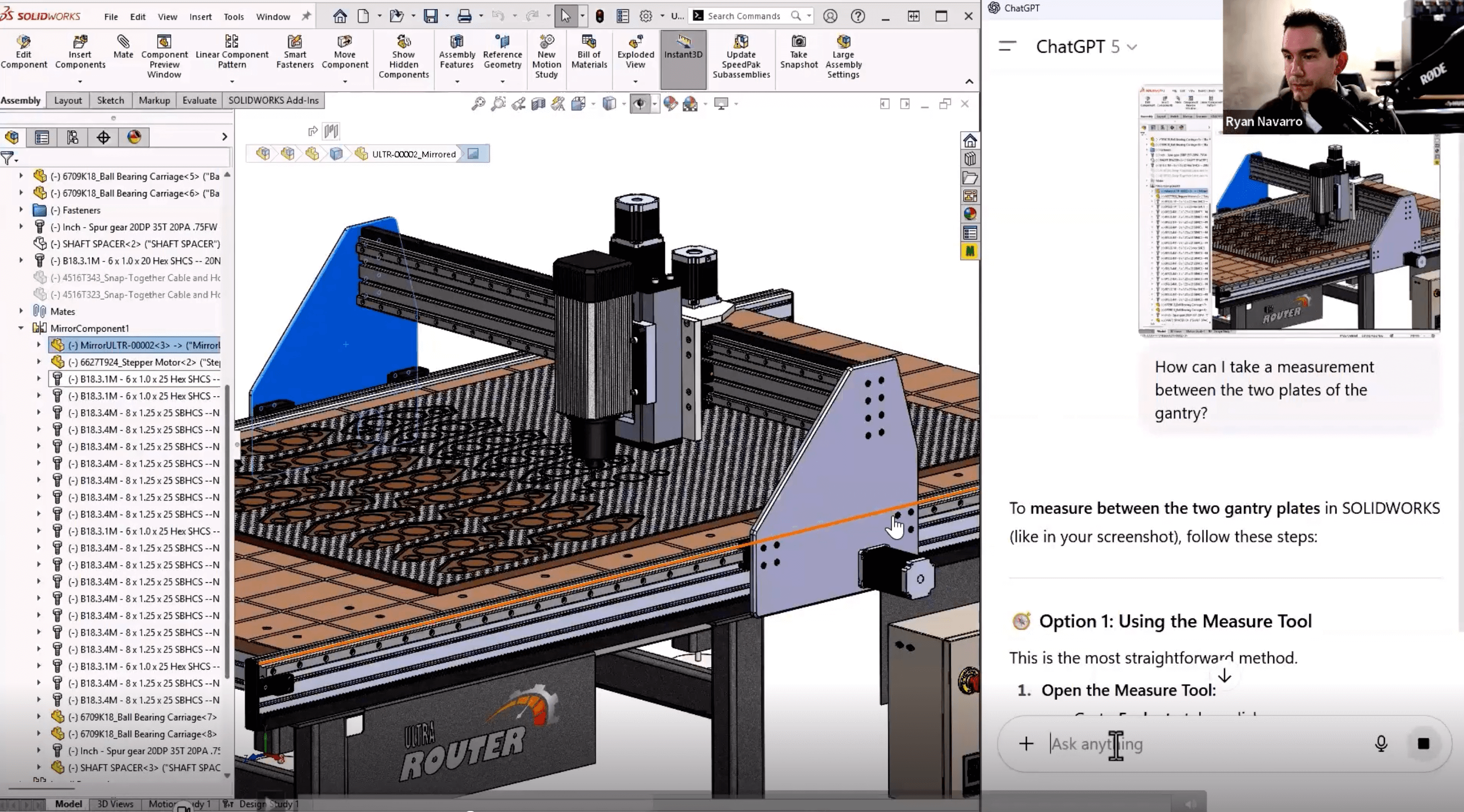
Using an LLM for help in SOLIDWORKS
2. Interpreting Simulation Results
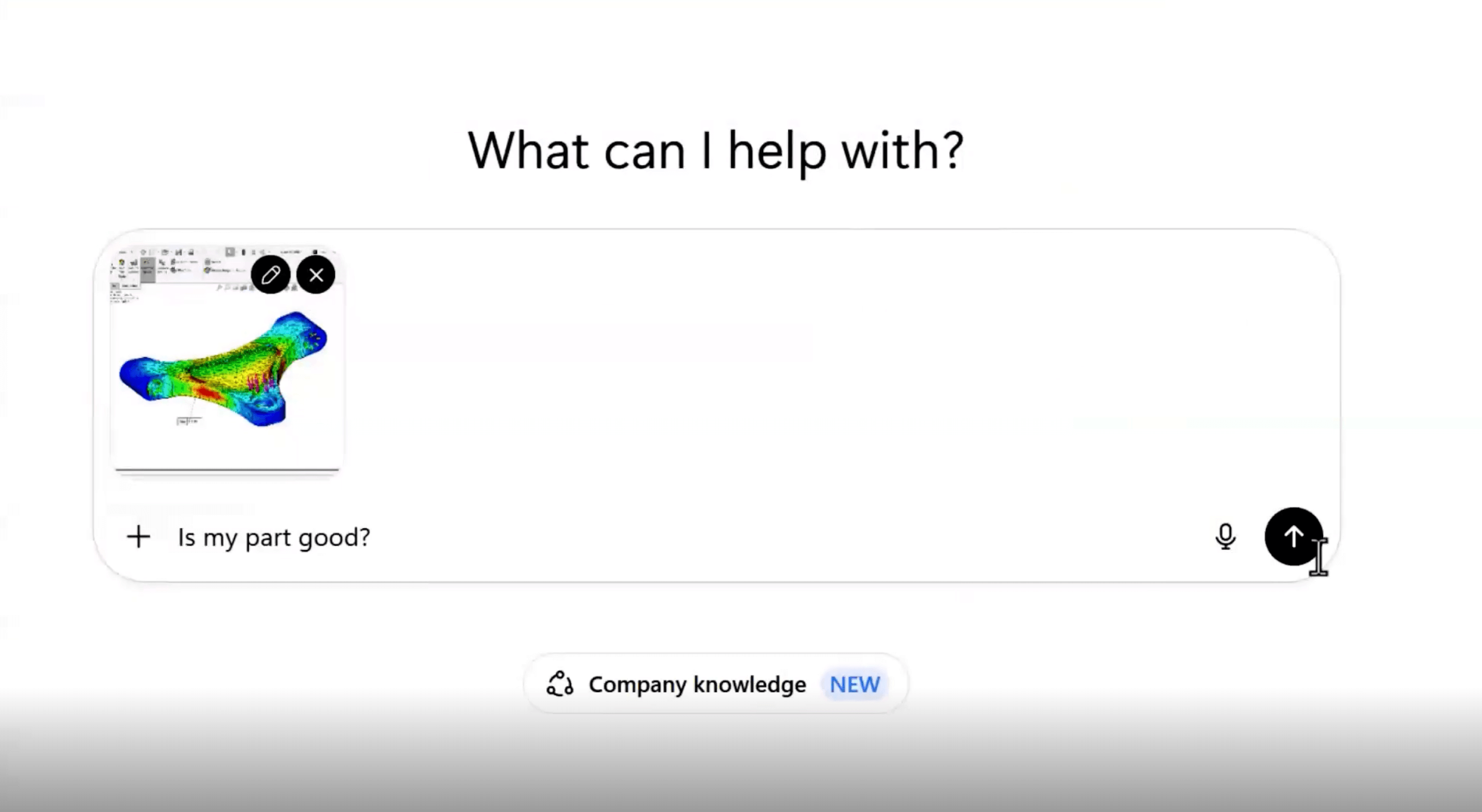
Engineers can now upload simulation results and ask for interpretations. The AI can analyze factors like stress patterns and safety factors, providing meaningful context that helps with decision-making. It’s able to estimate factors like yield strength and factor of safety. Navarro was impressed with the level of expertise when it suggested including checks for load application, material accuracy, and singularities.
Using AI to interpret simulation results
3. Parsing Standards
AI can quickly navigate lengthy documents like a 1,089-page mil-spec PDF to pinpoint relevant sections like shock and vibration standards for aircraft-mounted equipment.
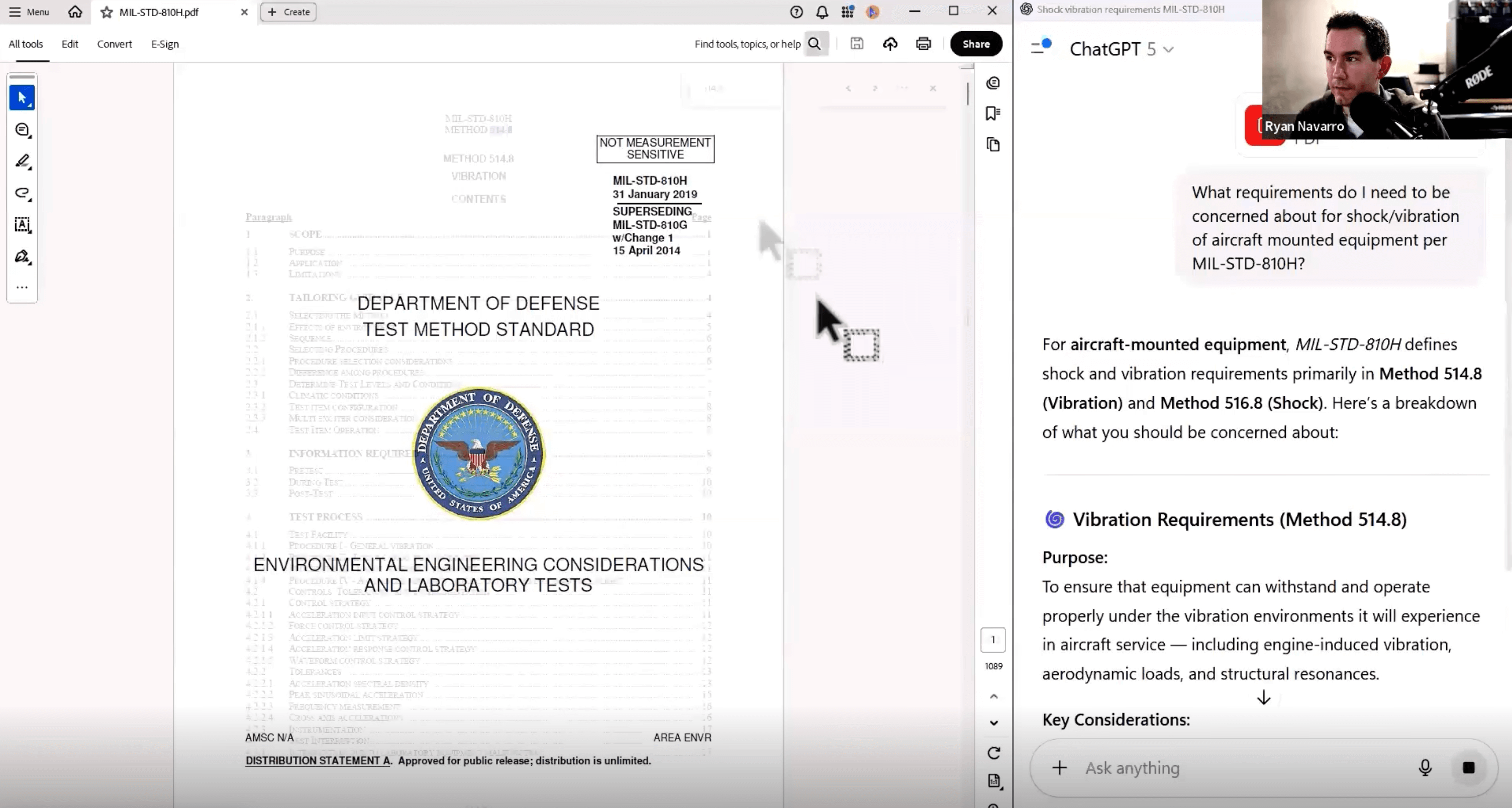
Using LLM to pull out key information from technical standards documentation
4. Text Extraction and Data Conversion
AI excels at extracting text from non-selectable PDFs or images (e.g., old drawings, PowerPoint slides) and digitizing data, such as converting a fan curve graph into a table for CFD software.
5. Deep Research
Tools like Deep Research in ChatGPT or Gemini’s research plans compile detailed, cited reports on unfamiliar topics, saving time for engineers tackling new domains.
6. Custom Chatbots
Engineers can create custom GPTs or “gems” by uploading company-specific documents (e.g., SOPs, standards) to assist teams with quick, accurate answers, reducing reliance on senior staff.
7. Plot Digitization
Engineers can digitize plots and graphs, converting visual data into tables ready for your simulation software.
The Future of Using AI in Engineering
Perhaps most exciting are the emerging capabilities that will transform engineering workflows in the coming years:
Agentic AI: Beyond answering questions, these systems can actually operate your software directly! Ryan demonstrated how SimScale’s engineering AI can set up simulation parameters automatically based on simple instructions, dramatically reducing setup time.
3D Model Generation: Companies like Backflip are working on systems that can generate 3D models from text descriptions or images. While currently focused on producing meshes suitable for 3D printing, the potential exists for generating parametric CAD models in the future.
Expanded Tool Integration: AI will increasingly integrate with engineering software via first-party solutions like Dassault Systèmes’ launch of AURA AI, or third-party connectors like MCP servers, enabling AI to control tools like SOLIDWORKS or Blender directly.
3D Model Generation: Emerging tools like Backflip convert 2D images or text prompts into 3D printable meshes. Navarro anticipates future advancements in generating parametric CAD models, though not many great tools exist yet. Navarro anticipates future advancements in generating parametric CAD models with AI.
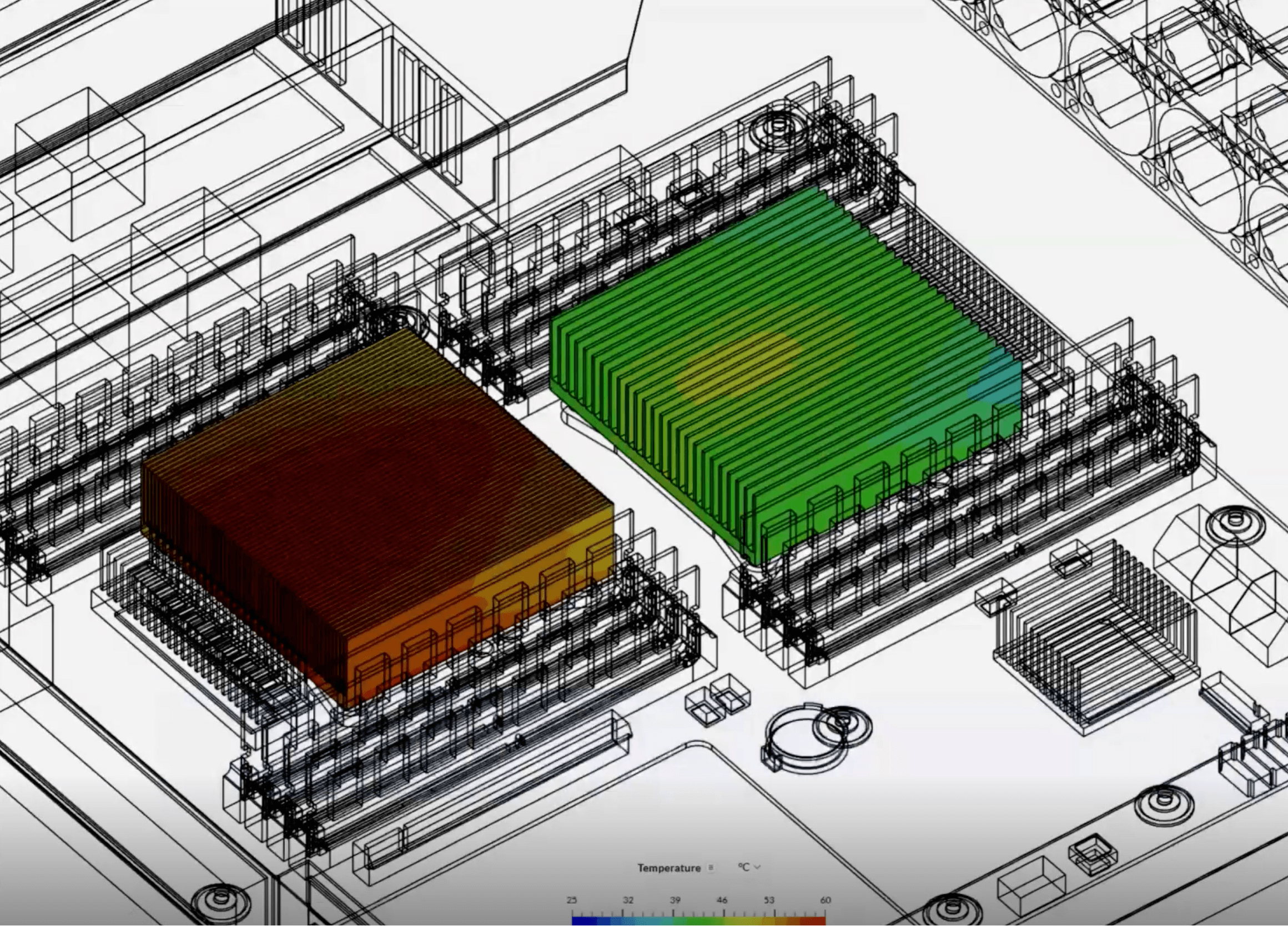
Physics-Based AI: Companies like Dassault Systèmes (SIMULIA) and SimScale are developing AI trained on simulation results to predict outcomes instantly (like drop tests for package designs), bypassing lengthy finite element analyses. Navarro demonstrated a SimScale workflow where agentic AI sets up a SOLIDWORKS simulation, and physics-based AI delivers near-real-time results for design iterations. Navarro highlighted SimScale’s dual AI approach — agentic AI for simulation setup and physics-based AI for rapid result prediction. This could revolutionize iterative design by reducing simulation times from hours to seconds, especially for repetitive tasks like heat sink design. Read more about AURA AI.
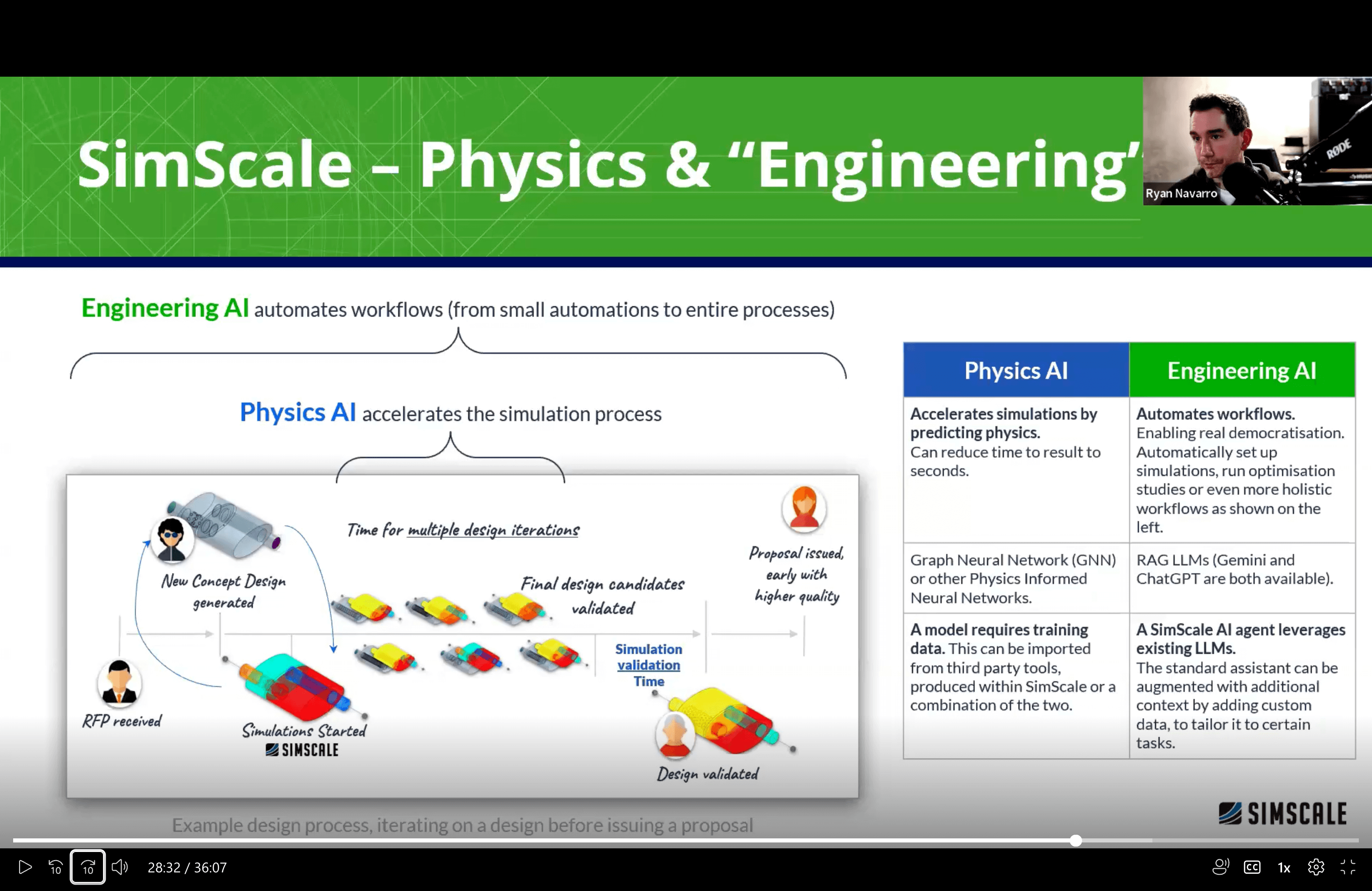
Speedrunning simulations with dual AI workflows
Novel Takeaways from Navarro’s AI & Engineering Session
- AI as a Visual Assistant: The ability to upload screenshots of software interfaces or simulation results and receive context-aware, accurate guidance? Show-stopping for engineers, especially for unfamiliar tools or complex tasks.
- Physics-Based AI Potential: The promise of AI predicting simulation results in seconds, trained on prior simulations, could drastically accelerate design iterations, particularly for repetitive engineering tasks.
- Custom AI for Teams: Creating custom chatbots with company-specific knowledge bases (e.g., SOPs, standards) streamlines workflows and empowers junior engineers, reducing dependency on senior staff.
As Ryan summed up: “I want to see this for SOLIDWORKS, I want to see this for all my tools, to be able to say, ‘Hey, go do this,’ and have it go do it. And I think we’ll be there very soon.” The pace of innovation in AI for engineering is accelerating rapidly. By understanding both the current capabilities and emerging trends, engineers can position themselves to take advantage of these powerful tools while maintaining their critical engineering judgment and expertise.
Interested in learning more about AI applications in engineering?
Watch the full presentation: AI in Engineering: Past, Present, & Future.