
Content Release – 2026 SOLIDWORKS Sheet Metal
November 12, 2026 · Micky Kowalczyk
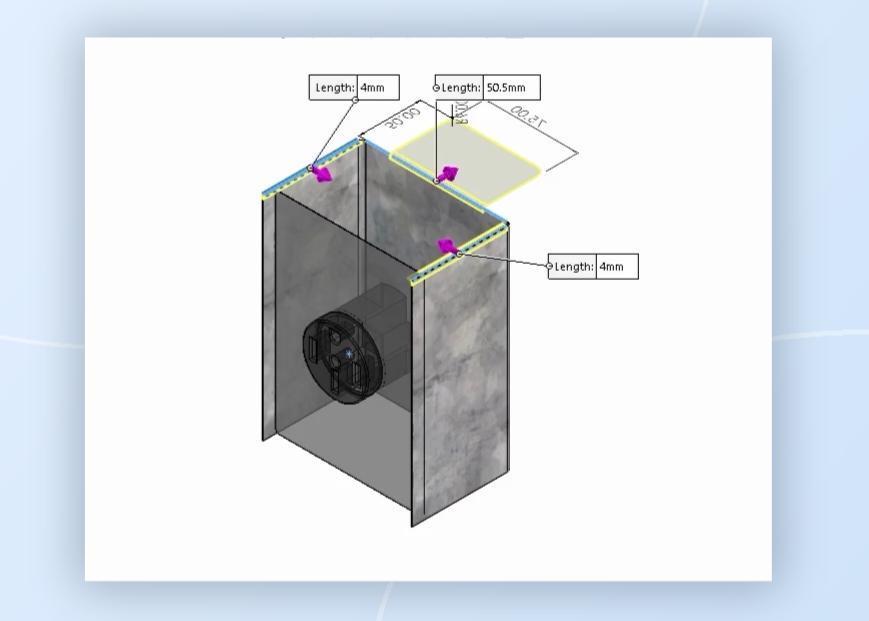
Snapshot
SolidProfessor’s 2026 SOLIDWORKS Sheet Metal course has been rebuilt with updated lesson workflow, datasets, and exercises covering the tools needed to create and document sheet metal parts.
SolidProfessor | SOLIDWORKS | SOLIDWORKS Sheet Metal | 2026
The course focuses on capturing design intent while working with sheet metal features, converting existing geometry to sheet metal, creating manufacturable designs, and producing drawings, tables, and cut lists. New and substantially revised material also expands coverage of advanced techniques, library features, forming tools, and preparation for the CSWPA-SM certification exam.
Course Highlights & Updates
The 2026 course includes significant updates throughout the curriculum based on a subject matter expert review of the previous version. Lessons have been reorganized by section topic for better learner cohesion, while many datasets and workflows have been rebuilt to provide clearer and more practical examples. The guided exercises were also rebuilt to give learners the opportunity to apply these tools in realistic scenarios themselves as they progress through the course.
Several topics received substantial changes. The advanced sheet metal section now separates cylinders and cones into dedicated lessons and covers formed and bent lofted bends, multibody sheet metal parts, sensors, and sheet metal templates. The new Sheet Metal Templates lesson demonstrates how templates can standardize materials, gauge tables, sensors, and manufacturability settings.
The Library Features section has also been substantially rebuilt. Learners can work with reusable Design Library features and explore forming tools in greater detail, including how to modify existing tools and create custom ones. A new Stamp Tool lesson covers the creation of stamped sheet metal features using die and punch radii.
Topics covered throughout the course include:
- Sheet metal design features and design intent
- Convert to Sheet Metal and Insert Bends workflows
- Cylinders, cones, and lofted bends
- Multibody sheet metal parts
- Sheet metal sensors and templates
- Library features and forming tools
- Custom forming tools and the Stamp Tool
- Flat patterns, bend information, and sheet metal drawings
- Cut list, punch, and bend tables
- DXF/DWG export
- CSWPA-SM exam preparation and practice exams
Who is this course for?
This course is intended for SOLIDWORKS users who work with sheet metal in industry and want to understand both the software tools and how they relate to common manufacturing requirements. It is suitable for commercial, educational, and individual learners ranging from users new to sheet metal concepts to those with working knowledge of the software.
Learners should already understand the fundamentals of SOLIDWORKS part design and parametric modeling. Familiarity with equations, configurations, multibody parts, the Design Library, and common manufacturing processes can also be helpful.
How can you use these tools?
After completing the course, learners can apply SOLIDWORKS Sheet Metal tools to:
- Build sheet metal parts while capturing design intent
- Convert suitable solid or surface geometry into sheet metal
- Create and manage multibody sheet metal designs
- Standardize designs with templates and reusable library features
- Create and customize forming and stamped features
- Produce flat patterns and manufacturing documentation
- Create cut list, punch, and bend tables
- Export sheet metal geometry to DXF/DWG
- Prepare for the CSWPA-SM certification exam
The rebuilt 2026 SOLIDWORKS Sheet Metal course provides an updated path from core sheet metal design concepts through advanced tools, documentation, and certification preparation. With revised workflows, practical datasets, and expanded coverage of reusable design tools, the course is designed to help learners apply SOLIDWORKS Sheet Metal to real design and manufacturing tasks.