
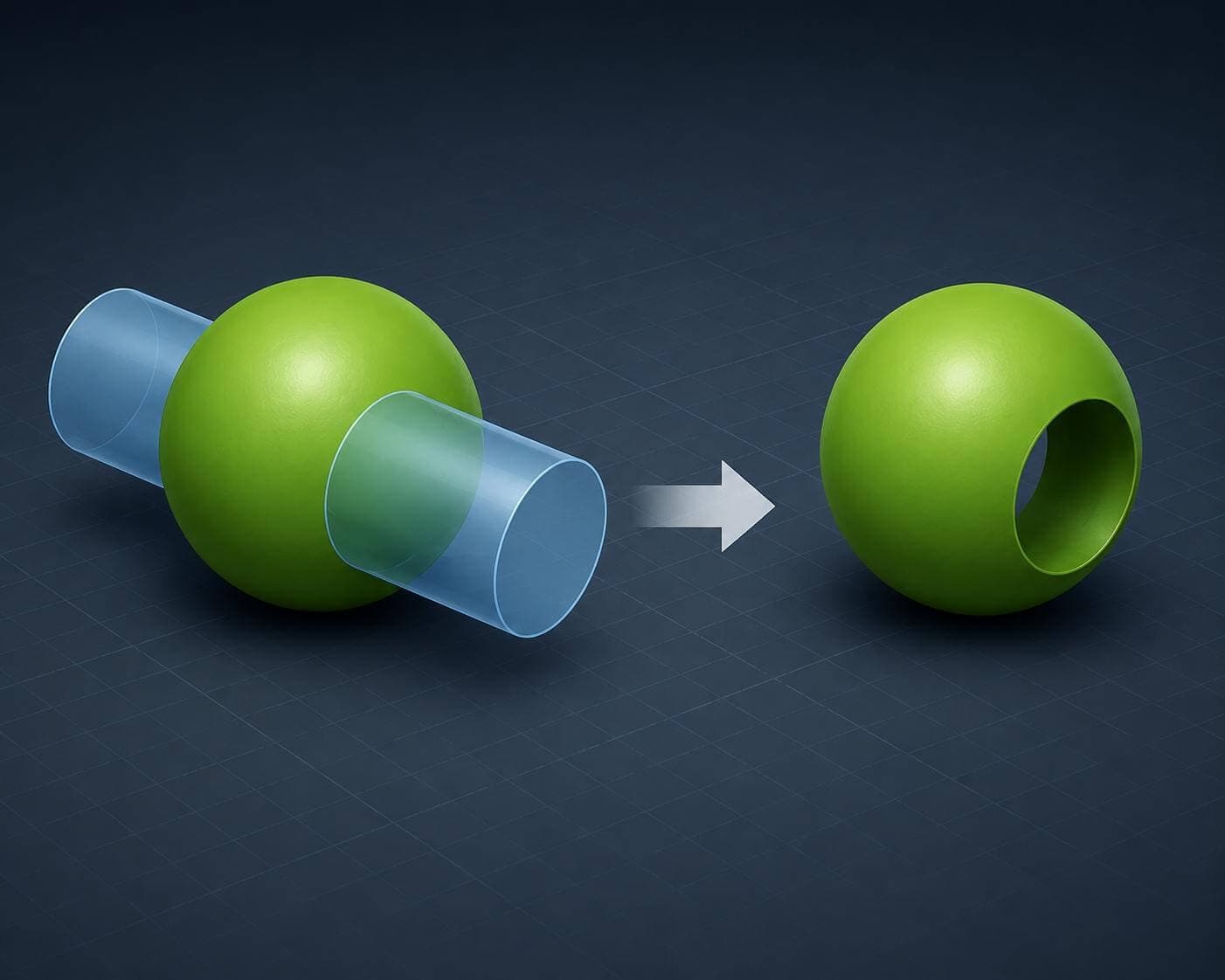
Working with multibody parts offers several advantages over standard single-body modeling, including several tools specifically designed to take advantage of solid bodies. Our latest 2-Minute Tech Tip examines the Combine feature, which can be used to add bodies together, subtract one body from another, or keep only the overlapping volume between them. These are also known as Boolean operations and are found in nearly every available 3D CAD program.
Using a simple example of a cylinder intersecting a sphere, the lesson demonstrates all three Combine modes (Add, Subtract, and Common) and shows how each affects the resulting geometry. These tools are fundamental for advanced workflows involving tool bodies, plastic part design, mold tooling, and other multibody modeling strategies.
The Combine command being used to subtract a cylindrical body from a spherical body
The Combine feature is one of the core tools in multibody part design and provides a fast way to create complex shapes from existing geometry. To learn more about multibody modeling techniques and advanced design workflows, see our SOLIDWORKS Advanced Part Design course.